Enhancing Design Efficiency with Artificial Intelligence CAD Solutions
Artificial Intelligence (AI) is reshaping the landscape of Computer-Aided Design (CAD), turning traditional tools into intelligent design partners.
Today’s CAD systems are integrating AI algorithms to automate tedious repetitive tasks. AI can flag potential errors and suggest optimizations. It can even simulate real-world performance within manufacturing processes. With features like generative design, predictive modeling, and intelligent error detection, Artificial Intelligence empowers engineers and designers to work faster, smarter, and more creatively.
Let’s explore how AI in CAD is transforming the future of CAD.
How AI in CAD is Transforming the Future of CAD?
- Task automation and workflow acceleration
- Generative design and AI-driven optimization
- Real-time feedback and immersive simulation
- Smart features embedded in leading CAD tools
- Personalized, creative, and responsible design futures
Automation and Workflow Efficiency
- Task Automation: AI can automate time-consuming repetitive tasks such as generating design variations, detecting repeated patterns, and performing routine modeling operations. Automation reduces manual input and speeds up the drafting process.
- Intelligent Workflows: AI analyzes data on design patterns and user actions to predict subsequent steps, helping to streamline workflows. This results in faster iterations and fewer interruptions during the design process.
- Error Detection: AI tools can detect conflicts, interferences, or violations of design rules early, before prototyping and manufacturing, reducing the need for costly revisions.
- Markup Import and Assist: AI tools in software like AutoCAD can read markups (from PDF or image files), interpret suggestions, and apply changes directly to the design.
Generative Design and Optimization
- Explore Multiple Design Options: AI can scan automatically through hundreds or thousands of design options to identify optimal solutions based on specific goals and constraints (e.g., weight, strength, or cost). Engineers may overlook those findings due to time constraints or personal biases.
- Material Selection: AI suggests materials that meet specific performance requirements, such as load-bearing capacity or thermal resistance.
- Design Performance Evaluation: AI assesses how a design performs under various stress, temperature, or motion conditions. AI analysis enables engineers to optimize products for key performance indicators, including strength, weight, and energy efficiency, during the product design process.
Smarter Visualization and Simulation
- Real-time Feedback: AI-powered solutions can deliver live feedback on design changes, such as stress levels or structural issues, allowing instant corrections.
- Accelerated Simulations: AI can accelerate the accuracy of simulations by orders of magnitude. Faster design cycles enable virtual prototyping and testing to inform design decisions in product development, allowing for final product validation before physical prototypes are created.
- AR/VR Integration: AI supports more immersive design reviews by integrating with augmented and virtual reality, enabling realistic walkthroughs and manipulation of geometries in 3D space.

Specific AI Applications in CAD Tools
- Command Prediction: AI suggests the following most likely command, based on the user's behavior and the current design context. Automation with predictive commands reduces clicks and helps users stay focused without needing to navigate sometimes complex CAD menus.
- Fillet Auto Repair: When geometry prevents fillets from generating correctly, AI can identify the issue, repair the shape, and adjust the fillet parameters. Automatic fillet correction ensures continuity of the CAD model and reduces downstream errors.
- Stress Hotspot Detection: AI analyzes loading conditions to find regions of high stress concentration in the geometry. Early detection of structural weaknesses allows engineers to strengthen designs before physical testing. For more insight and technical details, refer to the application of AI in Mechanical Engineering.
- Autodimensioning: AI can evaluate the geometry of 2D drawings and apply appropriate dimensions without manual input. Automated dimensioning shortens the documentation process and improves drafting consistency.
- Innovative Fasteners: AI in CAD recommends suitable fasteners by analyzing joint geometry, materials, and loading conditions to ensure optimal performance. Intelligent fastener selection reduces overdesign and improves mechanical reliability.
- Text-to-CAD: Plain-language input is converted into parametric 3D geometry using AI. Text-based modeling accelerates early concept development, enabling non-CAD users to contribute to the design process.
What's Next: The Future of AI in CAD Tools
- More Personalized Solutions: AI tools are expected to become more adaptive, learning from user behavior, project types, and industry-specific standards. Designs will be increasingly guided by systems that adapt to individual workflows and project-specific constraints, rather than relying solely on general use cases.
- Increased Focus on Creativity: As AI takes over repetitive tasks such as dimensioning, part placement, and basic stress validation, design engineers will allocate more time to higher-level activities like concept development, system integration, and cross-functional problem-solving. In the automotive industry, for example, generative tools can automatically explore bracket geometries that meet structural and manufacturing constraints, allowing team members to focus on improving vehicle aerodynamics or interior layout. Similarly, in architecture, automated zoning and compliance checks let designers invest more effort in spatial planning and material innovation. By reducing manual overhead, AI enables teams to shift attention toward project-specific goals that require engineering judgment and creative input. To explore this in more detail, consider how Engineering design principles help in building new alternatives.
- Ethical Considerations: With the increased integration of AI, design tools must address concerns regarding algorithmic bias and transparency in decision-making that were not present in traditional CAD. Engineers and organizations must also assess how automation affects roles within teams, how data is utilized, and who is accountable for AI-driven outcomes. To gain deeper insights and access in-depth information, explore AI subfields and their real-world applications.

For more details, refer to the overview of CAD technology.
Introduction to AI in CAD
AI is reshaping CAD by automating several operations, mainly the non-creative assignments. From automated geometry generation to natural language inputs, AI-powered tools enable engineers to work smarter, delivering better quality and acting as an assistant for easier access to complex features.
AI-Powered Automation in CAD Tools
AI is transforming the traditional CAD industry by enhancing design efficiency and productivity.
Data-driven AI algorithms are enhancing the way designers and engineers interact with software environments. By automating repetitive tasks and aiding decision-making during complex workflows, AI algorithms enable teams to work with fewer manual adjustments.
For example, AI-driven automation in Solid Edge accelerates part production by predicting and applying features, without requiring repeated user input.
Generative Design, Machine Learning, and NLP
AI enables technologies such as generative design, machine learning (ML), and natural language processing to enhance the quality and speed of the engineer's work.
- Generative Design. Algorithmic tools such as Autodesk Fusion 360 allow engineers to define goals and constraints, then generate multiple design options optimized for weight, cost, or strength.
- Machine Learning. Data-driven AI and machine learning enable software to adapt to users by offering more intelligent command suggestions.
- NLP. Also, Natural language processing allows users to input text descriptions that generate 3D models, streamlining the early ideation process.
Making Complex Modeling More Accessible
AI-driven CAD tools make complex modeling more accessible, enabling designers to create precise and high-performance products with ease.
AI reduces the barrier to advanced geometry creation by handling the technical complexity behind feature generation, constraint solving, and simulation setup.
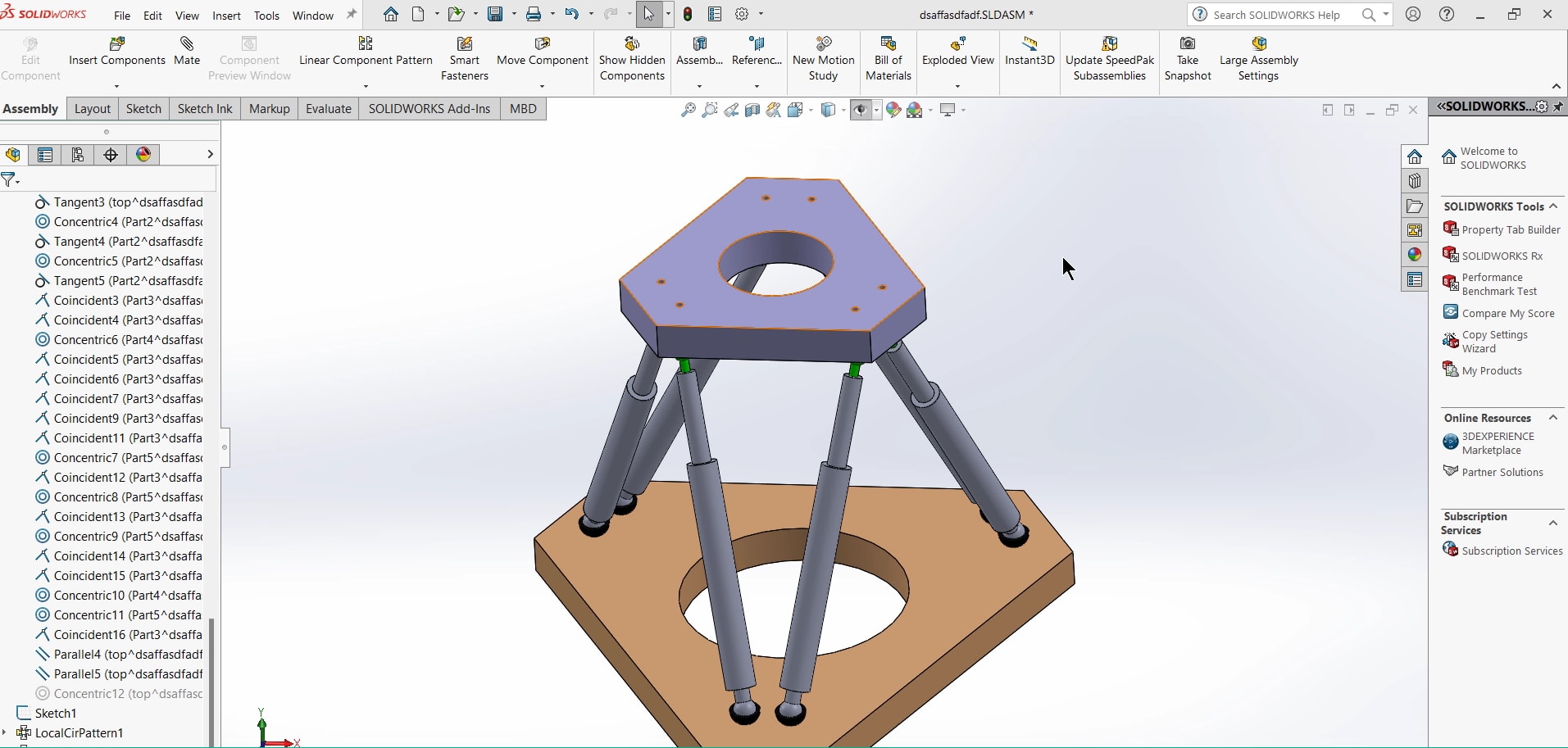
For example, in SolidWorks, AI-powered simulation advisors assist in defining mesh settings and loading conditions, enabling non-experts to perform accurate analyses with ease—industries such as aerospace and automotive benefit from this by managing highly detailed geometries without increasing design time.
What are the Benefits of AI in CAD?
AI is revolutionizing CAD tools by automating repetitive chores, enhancing precision in execution, and facilitating multidisciplinary collaboration between teams.
Here’s a breakdown of the main benefits offered by AI in CAD:
- Reduced manual work and errors
- Pattern recognition and feature automation
- Better use of human resources
- Cross-disciplinary collaboration
- Early-stage predictive simulation
How AI Reduces Manual Work and Prevents Design Errors
AI-driven systems enhance workflows by automating routine operations, including tasks such as dimensioning, constraint assignment, feature recognition, and geometry repair. If manual input is significantly reduced, the likelihood of human error is reduced in early project stages, especially in assemblies with high part counts or tight tolerances.
How AI Automates Feature Recognition and Reuses Patterns
Software like Autodesk Fusion 360 and Siemens NX apply machine learning to recognize recurring patterns. When similar components appear in different projects, the system may automatically propose feature treatments such as fillets, chamfers, or fastener placements. In shared component libraries, this kind of consistency helps maintain quality across teams and projects.
How AI in the CAD Industry Saves Time and Boosts Engineering Productivity
Low-value, repetitive tasks in traditional software can be offloaded to AI. AI can take over low-value actovoties like fillet application or feature recognition, freeing engineers to focus on functional trade-offs and planning validation strategies. With AI in CAD, time once spent on routine tasks (like sketching standard features or cleaning up geometry) can now support faster iterations and clearer alignment with design intent.
How AI Improves Cross-Functional Collaboration in Design Teams
Collaboration also benefits from AI CAD features such as sketch diagnostics, constraint validation, and automated tagging. Teams working across disciplines (mechanical, electrical, and manufacturing) can avoid delays by detecting missing constraints or incompatible dimensions early in the workflow. Real-time correction tools reduce revision cycles during internal handoffs and client review stages.
How AI Enables Early Simulation and Design Validation
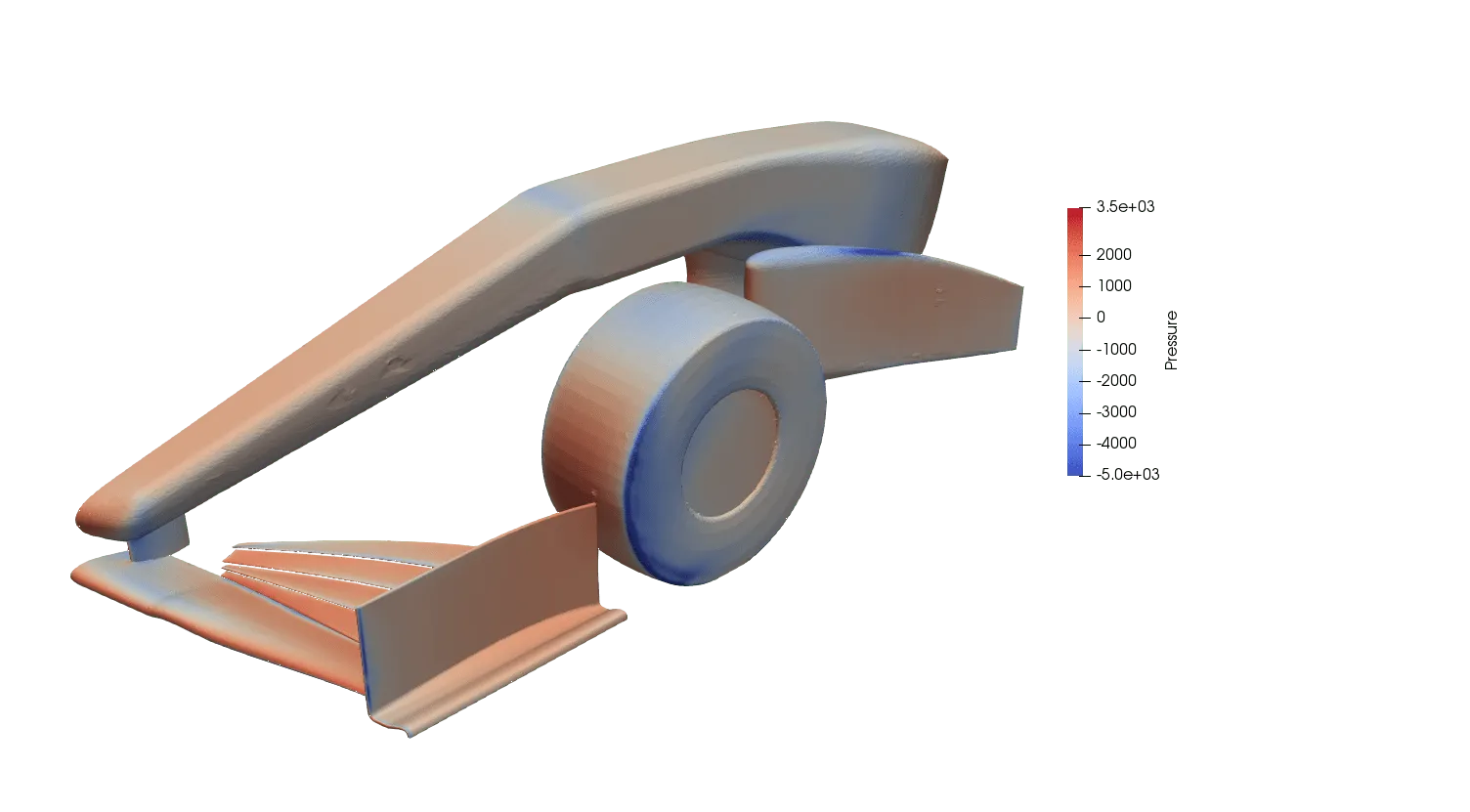
Predictive simulation further enhances this advantage during the analysis phase. AI-assisted simulation software can estimate stress hot spots, airflow turbulence, or heat buildup based on geometry or loading conditions.
For example, AI can predict pressure zones in a duct or thermal gradients in a heatsink layout. This allows designers to flag weak points earlier, cut iteration loops, and reduce reliance on late-stage physical tests.
What are the CAD AI Industry Future Trends?
The most important trends in the industry are:
- Native AI integration
- Machine learning–driven suggestions
- Widespread adoption of generative design
- Cloud-based collaboration
- Simulation (mechanical, thermal, and fluid)
Trend: Native AI integration in CAD for Design and Engineering
The CAD industry is undergoing a shift as Artificial Intelligence capabilities move from experimental features to core functionality in product environments. ML, in particular, is reshaping the future of how algorithms interpret user behavior and adjust modeling workflows.
In Siemens NX, AI-driven features include Predictive Engineering Analytics and selection prediction. For instance, NX uses AI and ML to help product designers to predict the next feature a user is likely to create (e.g., fillets, holes) based on past behavior, reducing clicks. It also flags geometric inconsistencies or manufacturing constraints early in the process.
In Dassault Systèmes 3DEXPERIENCE, the Design Assistant leverages historical user data to offer context-aware suggestions. It can recommend changes, automate repetitive steps, and suggest reusable components from corporate part libraries, helping to avoid duplicated effort and enforce standardization.
These AI features are trained on prior user actions and existing datasets, meaning they improve over iterations and tailor assistance to each team’s workflows, leading to better consistency, faster iterations, and fewer errors in product development.
Trend: Widespread Adoption of Generative Design
Generative design is also acquiring a crucial role as a standard component in the early stages of projects.
Tools such as Autodesk Fusion 360 allow engineers to define performance targets and constraints. After that, the system generates multiple optimized geometries.
These options can often outperform human-generated choices in terms of structural efficiency and material utilization, especially in identifying counter-intuitive lightweighting design solutions commonly found in the aerospace and automotive sectors.
Trend: Cloud-Based Collaboration Enhanced by AI
Cloud-based solutions are also gaining traction. Platforms like Onshape can combine browser-based software with machine learning analytics, enabling distributed teams to co-develop parts with immediate version control and intelligent design history. This setup enhances both accessibility and responsiveness, primarily in organizations managing multi-site product development.
Trend: Real-Time Simulation. Thermal Analysis Use Case
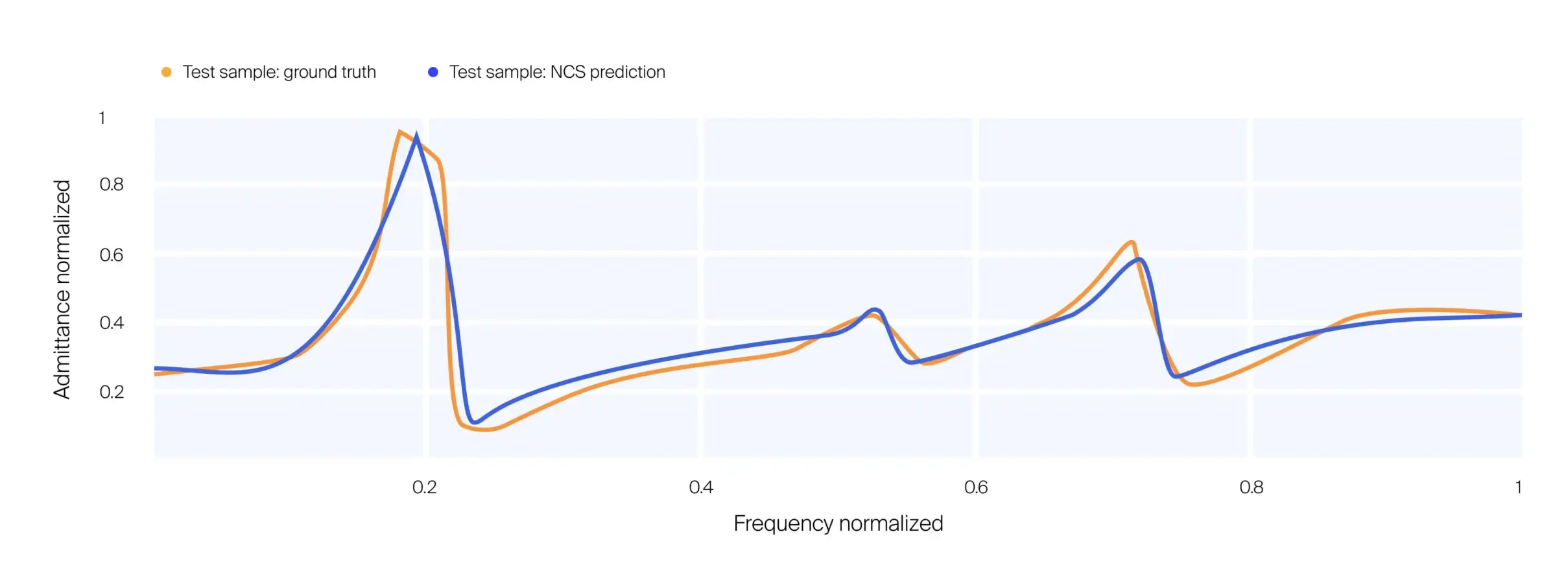
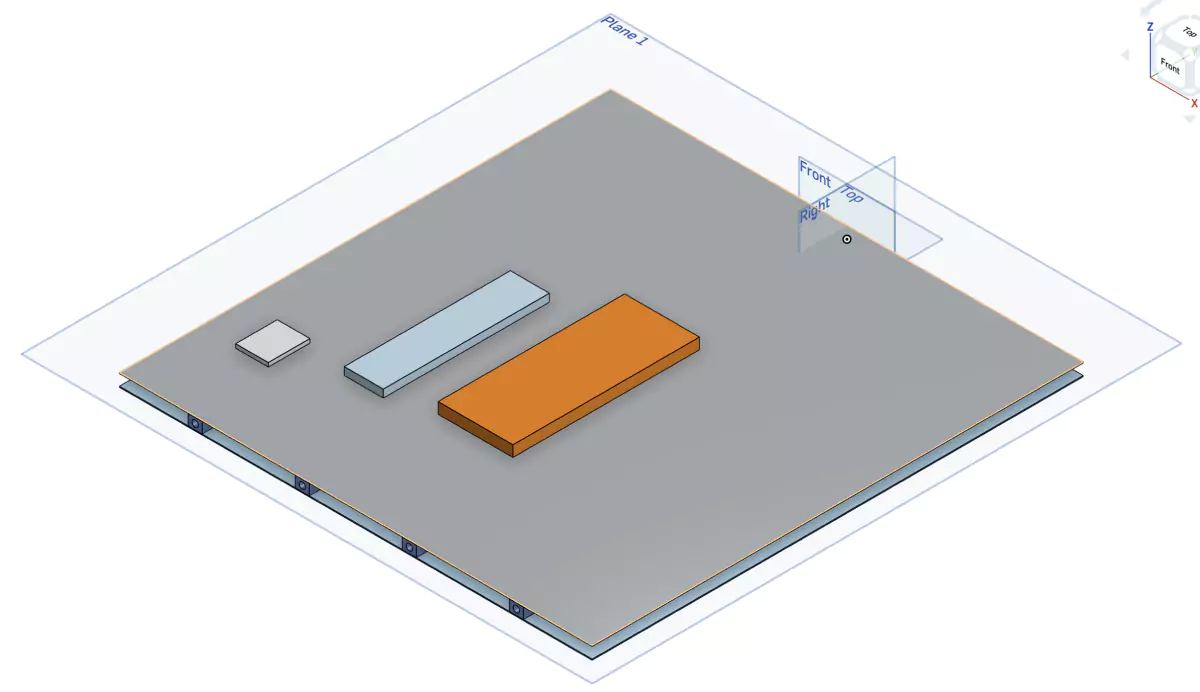
The example demonstrates a pioneering and successful attempt at integrating AI into the Onshape software for instantaneous simulation updates following CAD modifications. To learn more, a whitepaper dedicated to AI-driven thermal design for satellites reveals how CAD updates enable an almost instantaneous response in onboard electronics design.
How to Get Started with AI CAD?
AI features are rapidly becoming part of mainstream CAD tools. From generative design to feature recognition, getting started with AI CAD involves selecting the right software, understanding key concepts, and ensuring sufficient computing resources. Here’s what to consider when stepping into AI-powered design workflows:
- Getting started with AI CAD
- Alignment with product requirements
- Importance of core AI concepts
- Computing & Data resources
Getting Started with AI CAD: Software Facilitations
Getting started with AI CAD is becoming increasingly accessible as major CAD software companies have begun integrating AI features into their standard toolsets. Software like Autodesk Fusion (which evolved from Dreamcatcher) and SolidWorks DesignX includes capabilities such as topology optimization, feature recognition, and geometry simplification, making them practical entry points for designers and engineers interested in AI-enhanced workflows.
Selecting CAD Aligning with Product Requirements
Users should begin by selecting a CAD environment that aligns with their project requirements and supports Artificial Intelligence (AI) integration either natively or through plugins. Autodesk’s Fusion 360, for instance, includes generative design modules that utilize cloud-based AI software to explore alternative geometries. For example, the DesignX software assists with reverse engineering through intelligent surface reconstruction. Exploring such tools with small, controlled steps helps build familiarity with their behavior and output.
Importance of Understanding Core AI Concepts
A basic understanding of core AI concepts helps us use these tools effectively. Machine learning embedded algorithms rely on historical data, pattern recognition, and constraint-solving techniques to inform decisions. Understanding how input parameters influence AI-generated results helps prevent misapplication of these results. Awareness of NLP can also be helpful when interacting with AI-driven commands or automated documentation features.
Investment in Computing and Data Resources
AI CAD applications often require substantial computing and data resources. Generative design and simulation workloads are computationally intensive and typically offloaded to the cloud or local HPC resources. Local hardware should meet minimum CPU, GPU, and memory thresholds recommended by the software provider. Additionally, a stable, high-speed internet connection is crucial to ensure responsiveness, primarily when the design process relies on access to cloud computing infrastructure.
What are the Challenges and Limitations in Using AI CAD?
AI is transforming CAD tools, from geometry creation to simulation, by embedding intelligence into everyday design workflows. For engineers and designers, this means faster iteration, more intelligent automation, and more informed decisions. But where to begin?
- Data quality and computing power
- Workforce concerns
- Maintenance
AI CAD Systems Depend on High-Quality Input Data and Powerful Computing Resources
Generative and simulation-based design algorithms need accurate, structured datasets to produce valid outputs. Poor data can lead to unusable results or model instability. High-performance hardware (especially GPUs) and parallel processing capabilities are often required. Offloading tasks to the cloud may alleviate local demands, but reliable, high-speed internet remains a prerequisite.
Workforce Concerns Persist Around Job Displacement and Skill Shifts
Routine work is increasingly being automated, which may reduce the need for junior roles. Research from Bain & Company highlights that the primary barrier to AI adoption is not automation itself, but rather the lack of human skill. Rather than making human oversight obsolete, AI shifts the nature of required skills toward design oversight, validation, and contextual decision-making.
Ongoing Maintenance and Updates Remain Essential
AI CAD components depend on evolving machine learning algorithms. Software updates may change behavior or affect compatibility with existing designs. Ensuring stability requires systematic version control, user retraining, and coordination between design teams and IT support to manage transitions and maintain productivity.
Verification and Validation
Verification and validation remain essential in AI CAD workflows to ensure design accuracy and reliability. As AI-generated outputs are often derived from statistical models or algorithmic patterns, they must be checked against engineering standards, functional requirements, and safety constraints.
Modern AI CAD tools support real-time verification and validation, enabling users to evaluate designs and manufacturing processes efficiently. By running simulations and constraint checks as the model evolves, these systems help identify errors early, reducing the likelihood of costly revisions during prototyping or manufacturing processes.
AI integration also supports predictive analysis, enabling designers to detect potential structural weaknesses, material conflicts, or performance failures before they occur. These capabilities rely on training data and historical performance metrics to forecast how a design will behave under defined conditions.
Automated testing and validation routines are built into many AI CAD environments, thereby reducing the need for manual effort in routine checks. While this increases efficiency, final validation still requires human oversight to confirm that the AI’s assumptions and interpretations align with project goals and real-world constraints.
Summary and Conclusions
Below is a summary:
- Automation and Enhanced Efficiency: AI automates repetitive tasks, streamlines workflows by predicting actions, reduces errors through early flaw detection, and speeds up changes with tools like markup assist.
- Generative Design and Optimization: AI explores design options within constraints, optimizes material use, and improves performance through simulation-based analysis.
- Improved Visualization and Simulation: Real-time feedback, faster simulations, and enhanced AR/VR integration enable quicker iterations and immersive design testing.
- Specific AI Applications: Command prediction, fillet repair, stress detection, autodimensioning, smart fasteners, and text2CAD features boost efficiency and precision.
- The Future of AI in CAD: AI will enable more personalized tools, shift focus to creative work, and raise ethical questions about bias and workforce impact.
Artificial intelligence is reshaping the role of CAD in design and engineering. CAD AI automates geometry correction. It optimizes performance early in the design cycle and enables intent-aware work. All this enhances design quality. This is beyond "accelerating work". AI tools now assist in making decisions, validating geometry, and even recommending parts based on real-world constraints.
In practice, AI in CAD means fewer errors, faster transitions from concept to production, and multi-disciplinary integration. Siemens NX and Autodesk Fusion 360 use machine learning for CAD automation. This involves sketching constraints, optimizing geometries, and converting design intent into manufacturable parts. These functionalities apply in various industries, including automotive, aerospace, and medical devices.
Artificial intelligence will drive advancements in product development and manufacturing.
Frequently Asked Questions
What is AI CAD?
AI CAD refers to CAD design tools that have been enhanced with AI. These tools use algorithms to automate work, detect design errors, and interpret user intent.
Does AI Replace Designers?
No. AI assists designers by reducing their manual work. It identifies potential problems and speeds up iteration. However, core decisions and innovation still rely on human expertise.
Which Platforms use AI Today?
Platforms like Siemens NX, Autodesk Fusion 360, and PTC Creo already include AI-driven tools for generative design, constraint detection, and simulation setup.
Is there a CAD Tool in ChatGPT?
ChatGPT cannot directly generate CAD files, but it can create code or scripts that can be used to build CAD models in compatible software. It assists with logic, geometry setup, and automation, but not direct visual editing.
Can AI Perform as a Standalone Function?
Not fully. AI capabilities can generate 3D geometries for instance, using neural networks or generative algorithms. However, they need integration with CAD environments for visualization, editing, and export. Pure, standalone AI that performs complete workflows without any CAD software does not yet exist. Most current solutions rely on AI models embedded within or connected to established platforms.